





A Magecart attack uses steganography to hide malicious code in something that isn’t secret, stealing credentials and credit card data.
One month ago, we came across a report about another Magecart infection. Even though this infection was first detected in a known consumer electronics retailer, the same skimmer was
also being used on over a dozen other websites.
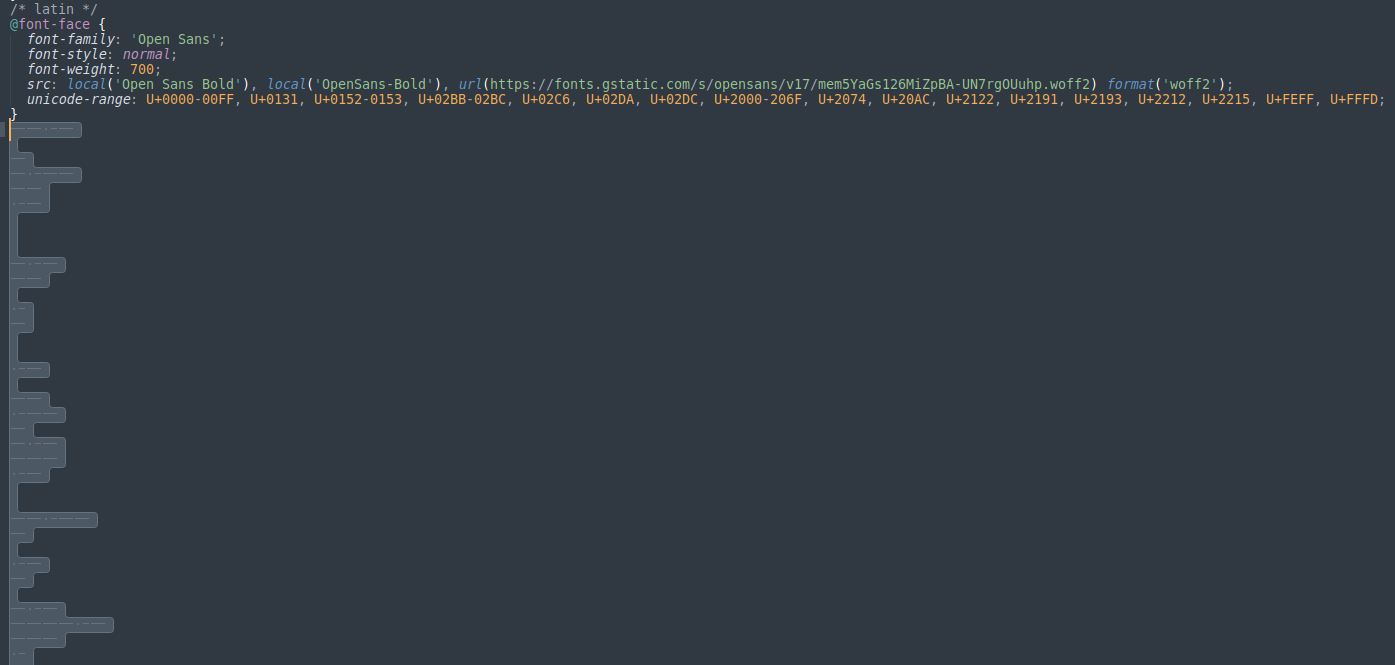
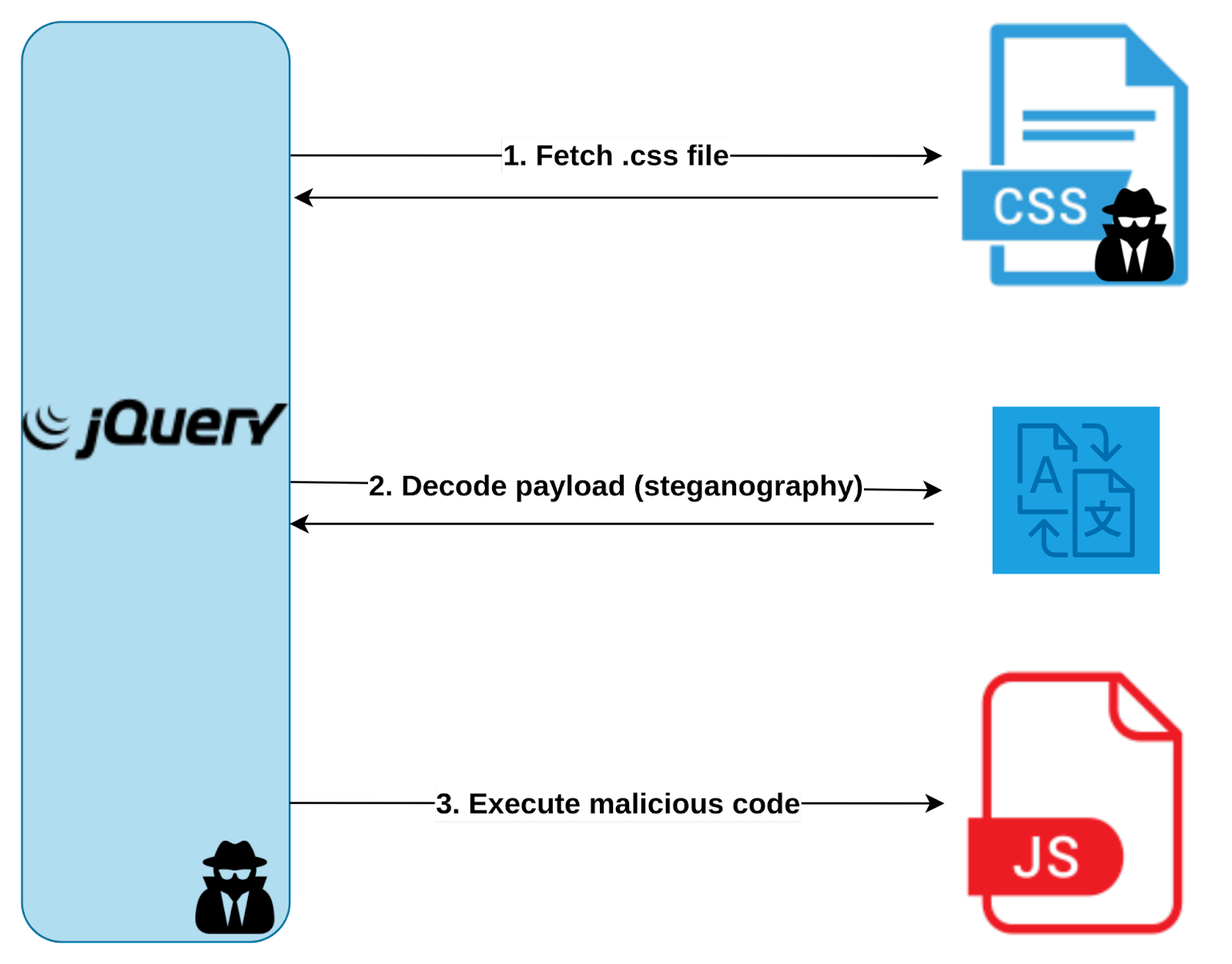
One of the most peculiar aspects of this attack was the fact that it was fetching a remote file called fonts.css,” from which it would retrieve JavaScript code to be executed as the next stage of the attack.
How can a .css file contain JavaScript code?
Well, it did not contain JavaScript code.
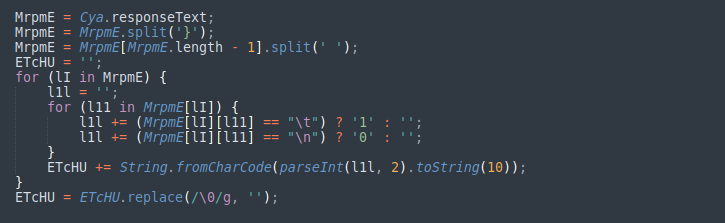
The .css file contained a few lines of valid CSS, but it also included non-visible characters such as spaces, tabs, and newlines.
No clear pattern exists in this sequence of characters, which made it suspicious and strongly suggested steganography.
What is steganography, and how does it work?
“Hiding in plain sight” is the most common description of steganography. It involves hiding a secret message in something that isn’t secret, and this practice dates back at least to ancient Greece.
One of the most famous examples from this era is that they would shave a messenger’s head, tattoo a secret message into his scalp, and then send the messenger to his destination after his hair had grown back.
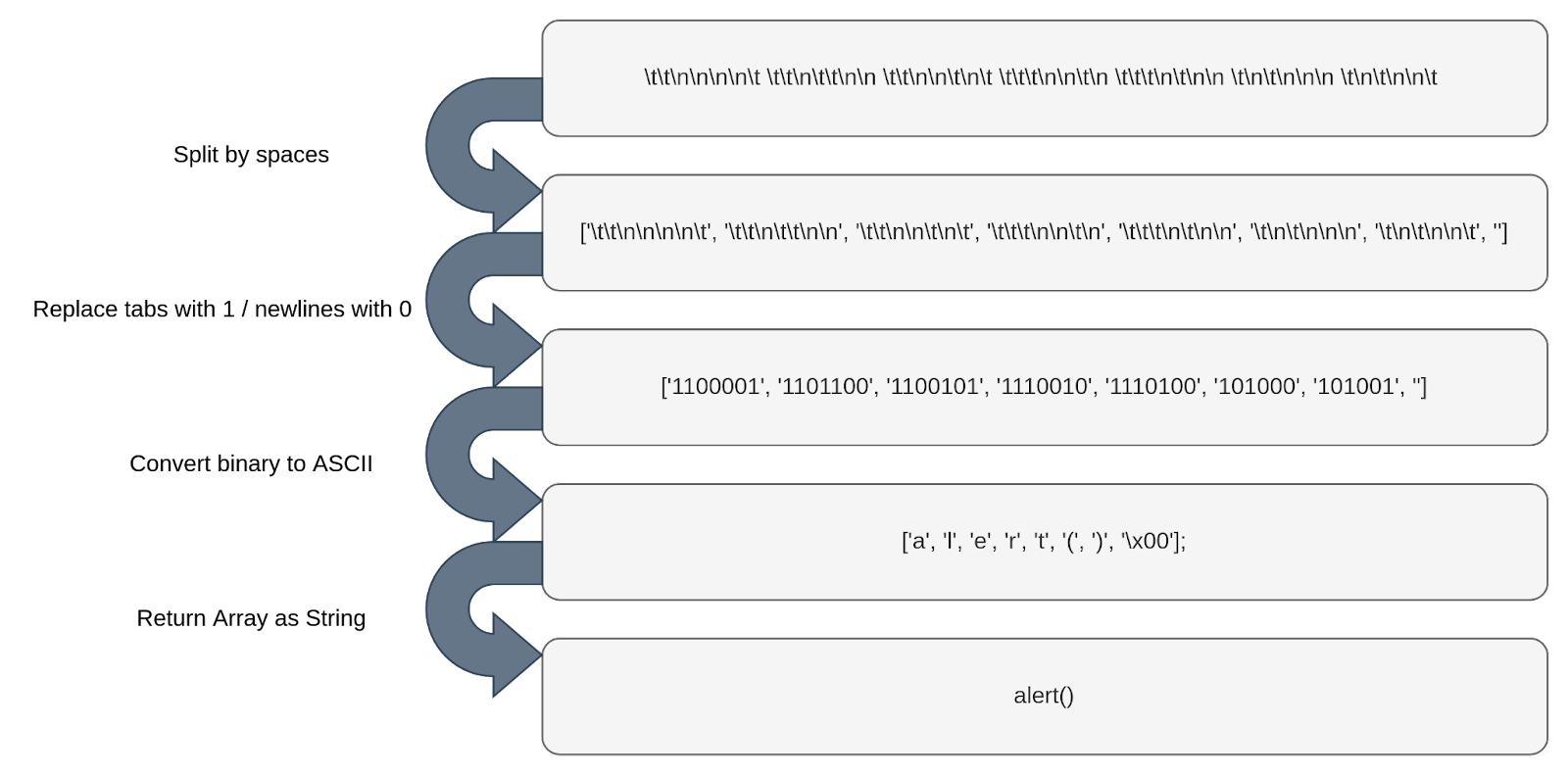
In comparison, the malicious script we are analyzing hides malicious JavaScript code behind spaces, tabs, and newlines, which are visible to everyone but require a “haircut” process to reveal the hidden message.
This process consists of three steps:
- Split the payload into chunks by using space characters as separators.
- Replace tabs with the character 1.
- Replace newlines with the character 0.
The result is a binary string representing obfuscated JavaScript code ready to execute in the next stage of the attack.
What was responsible for this processing or fetching the .css file?
It turns out the victim’s website was hosting and running a compromised version of jQuery, but we’re not sure how it got there.
The victim may have downloaded an infected version of jQuery from an untrusted source, or the application or its servers may have a vulnerability that lets an attacker modify an existing script. However, these are only a few possibilities among many others.
This compromised script was simply a legitimate minified version of jQuery but with an additional malicious function appended to the bottom of the script, as commonly seen on other Magecart attacks, like the one that targeted British Airways.
This function was responsible for fetching the .css file, processing the hidden payload, and finally executing the generated JavaScript code.
Does this mean that a suspicious URL was visible in the code?
This is where the attackers used another simple but effective trick. Using a combination of a decoy URL that resembles a typical Facebook CDN endpoint and an array of numbers representing specific indexes, the attackers can pick characters from the decoy URL to construct the real malicious URL.

How was the sensitive information accessed?
In the next stage, the attackers add an event listener for the “onblur” event to the “window” object, which will trigger whenever the window loses focus.
When this happens, another function will add “onchange” event listeners to all elements of type “textarea”, “select” and “input”.
Every time there is a change in the value of these elements, both the identifier and the value of the element will be temporarily saved in a “localStorage” item.

What about the exfiltration process?
The attackers created two additional event listeners on the “window” object. These listeners, triggered by “DOMContentLoaded” and “beforeunload” events, would exfiltrate the data every time the page had finished loading its content or the user decided to leave.
At this point, the script would grab the saved data from “localStorage” and perform a sequence of transformations. It encodes the data as “base64”, reverses it, and converts it into a string of tabs and newlines based on its binary representation. The binary data is then used to create a new Blob object that is appended to a “FormData” object.
Finally, the script executes a “POST” request using “fetch” and sends the “FormData” object containing all the stolen information to a URL controlled by the attackers. When it finishes, the attackers remove the “localStorage” item they used to store the information, cleaning up any traces of their operation.
What do we learn from this?
Tracking digital skimmers is getting harder by the day.
Countless threat actors and skimmer variations keep emerging as attackers look for new, improved, and automated ways to deceive.
If you own an e-commerce website, make sure to keep your software updated, try to leverage the best security practices available, and, if it suits your needs, try to adopt a solution for client-side in-depth protection.