





In software development, building powerful, feature-rich apps requires a well-structured backend that handles data storage, user authentication, APIs, and more. Backend-as-a-service (BaaS) tools come into play here, revolutionizing app development by providing pre-built backend solutions.
This article aims to give developers an overview of the top Backend-as-a-Service (BaaS) technologies available for their projects. By the end of this article, readers should understand the advantages and capabilities of these tools and choose the BaaS solution that best fits their project’s scope, requirements, and long-term goals.
What is a BaaS tool?
The backend-as-a-service tool simplifies and automates the backend development process. It cuts out the repetitive process of building mobile or web applications. A BaaS tool lets developers focus on the frontend while it handles backend services.
BaaS providers support various applications, including mobile apps, web apps, and IoT devices. They simplify backend development by managing essential backend functions, accelerating development, facilitating learning new technologies, and easing onboarding for novice developers.
Why Is the BaaS Tool Important?
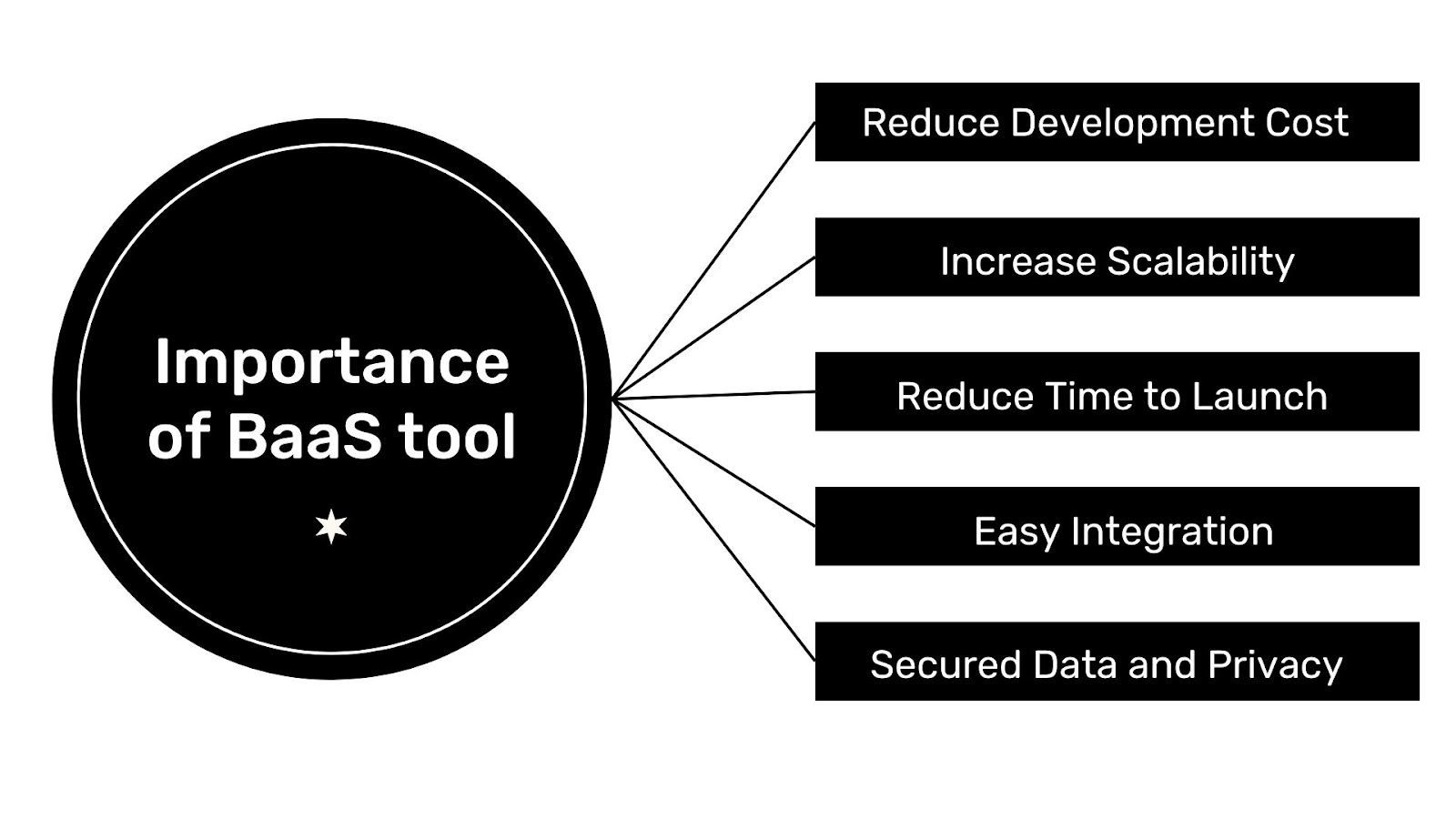
BaaS tool provides built-in tools to help you create backend code quickly. With pre-built capabilities such as scalable databases, APIs, cloud functions, social media integrations, file storage, and push notifications, these features can accelerate your application’s development. The benefits don’t end there; using a BaaS tool means you can:
- Reduce Development Cost: Using a BaaS tool saves costs by streamlining your app to include only essential resources and services, helping you eliminate features and third-party tools you don’t need. It also removes the cost of building your backend from scratch.
- Increase Scalability: A BaaS platform provides scalability features that help your application handle growth and increased demand without sacrificing performance or reliability.
- Reduced Time to Launch: BaaS provides pre-built features and functions to speed development and shorten time to launch.
- Easy Integration: BaaS solutions provide seamless integration, enabling your product to connect with various projects, services, and systems quickly. This integration not only improves your product’s functionality but also significantly increases its value in the broader technical landscape.
- Secure Data and Privacy: Many BaaS providers offer robust security functions and best practices to help protect your application and data.
Top BaaS Tools for Your Project
These tools are ranked based on performance, downloads, GitHub ratings, and usage from the previous year and months.

Firebase

Firebase, a powerful BaaS tool built by Google, lets developers build, test, and deploy apps with confidence. Offering robust features such as authentication, hosting, deployment, chat/messaging, and analytics, Firebase is versatile and adaptable. With support for platforms like Web, iOS, Android, and frameworks including Flutter, Unity, and C++, It is an excellent collection of tools upon which developers can depend to create and scale applications according to user demand. In addition to this, Firebase offers resources for integrating machine learning features into apps.
Google Firebase offers a variety of features to assist organizations. Among the standout features of the Google Firebase platform are:
Realtime Database: The Firebase Realtime Database is a cloud-hosted NoSQL database that facilitates storing and synchronizing data among users in real-time. Its successor, Cloud Firestore, extends this functionality globally, enabling app data storage, synchronization, and querying. Using the Realtime Database allows mobile and web SDKs to support app development without server dependency.
Another key advantage is that the Realtime Database SDKs use a local device cache to serve and store changes when users go offline, automatically syncing with the server when the device reconnects.
Authentication: One factor that improves an application system and retains users is Authentication. Firebase provides an easy authentication system that improves the sign-in and onboarding experience for end users. It offers an end-to-end identity solution, supporting email-and-password accounts and phone authentication. Firebase Auth provides easy sign-in with platforms such as Google, Twitter, Facebook, and GitHub for users who dislike typing their email and password every time they access an application.
Firebase Auth reduces the time and cost of building and maintaining an authentication system, all with just a few lines of code. It also lets you handle complex scenarios like account merging.
Cloud messaging: Firebase Cloud Messaging connects your server to devices, letting you send and receive messages and notifications on iOS, Android, and the web for free. It provides an A/B testing tool. This solution allows you to test different versions of your notification messages and choose the one that best achieves your goals.
You can customize your message to deliver immediately or at the user’s local time zone. You don’t need coding experience to send notifications to users, as Firebase Cloud Messaging integrates with Google Analytics for Firebase, giving you access to detailed engagement and conversion tracking.
Hosting: Firebase Hosting prioritizes security by offering a built-in Secure Sockets Layer (SSL) seamlessly integrated into your hosting environment. It eliminates the need for manual SSL setup, streamlining the process and ensuring secure data transmission without extra effort.
Crashlytics: This real-time crash reporting service is a component of the Firebase suite of tools Google provides. It helps you identify, prioritize, and resolve stability issues in your apps. Crashlytics automatically gathers and arranges crash reports from app users, delivering comprehensive details about the events leading to the crash.
Firebase extension: Firebase provides prepackaged solutions, including third-party tools, to assist you in building performant applications that align with your project goals. Some of these extensions collect real-time updates, integrate efficient search queries into your application, send personalized email marketing campaigns, and control access to your paid content. These extensions are open-source and built on Firebase and Google Cloud products that you’re familiar with, requiring no maintenance once deployed.
App check: This additional layer of security from Firebase safeguards your app and user data by verifying that incoming traffic originates from your app and blocking unauthorized access. This solution effectively defends your backend against abuse, including billing fraud, phishing, app impersonation, and data tampering. You can seamlessly integrate this feature with your Firebase products or custom backend for enhanced protection.
Pros
- Firebase lets you integrate your favorite tools such as Google Ads, Jira, Slack, Google Play Store, Android Studio, and Data Studio. Etc
- You can quickly get started with Firebase using just the CDN
- It has extensive community support and available resources to guide you or help you solve problems.
- Famous companies like Duolingo, the New York Times, Alibaba, and Wattpad use the tool. This helps to foster the community support system.
Cons
- Because Google created Firebase, it may tie you into Google’s ecosystem, making it hard to switch to other platforms.
- While Firebase offers a free plan, costs can escalate as applications grow or need additional features, so you need to weigh the cost of choosing Firebase over other solutions.
- Firebase supports many third-party services and infrastructure provided by Google, so disruptions or changes to these services could affect your application’s functionality.
Supabase
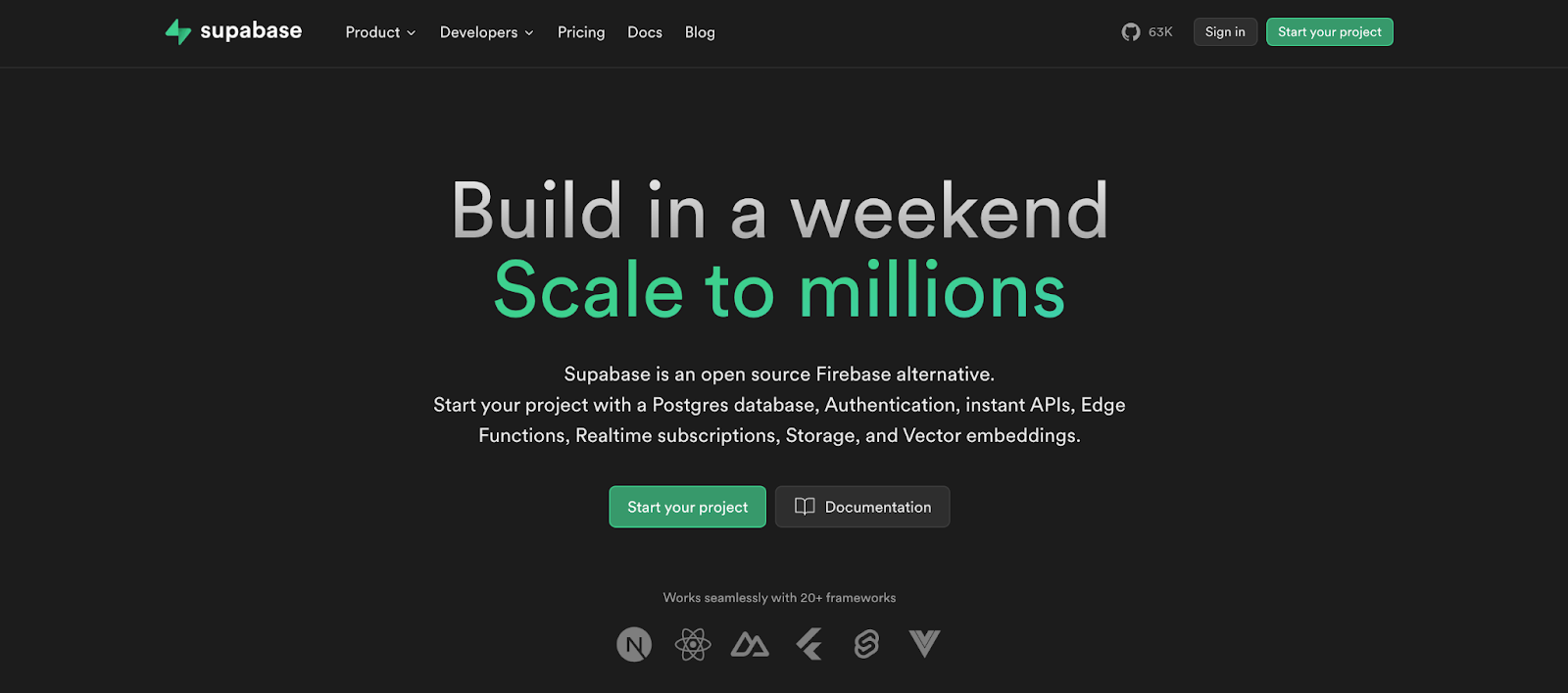
Supabase is an open-source alternative to Firebase, offering a variety of tools and services for developing and deploying web and mobile applications. Designed to be user-friendly, scalable, and secure, Supabase is a comprehensive platform for modern app development and deployment. Supporting multiple platforms, including web, Android, and iOS, Supabase integrates seamlessly with other tools and services, making it an ideal choice for developers.
Supabase doesn’t have as many features as Firebase, but it has all the core features like:
File Storage: Supabase Storage lets you store images, videos, documents, and any other file type you choose. It includes a built-in image optimizer that lets you resize and compress oversized media files for faster delivery. Additionally, Supabase Storage speeds up file loading globally by using a Content Delivery Network (CDN), which stores copies of your files in various server locations near users. This boosts speed, helps protect against cyberattacks, and ensures constant file availability.
Authentication: Supabase offers a simple auth system with built-in authentication, authorization, and User management that doesn’t require a single external authentication service. It gives you full access to your data without third-party privacy concerns. You can integrate social logins such as Google, Facebook, GitHub, Azure (Microsoft), GitLab, Twitter (X), Discord, and more to let users log in quickly.
Database: Supabase uses PostgreSQL, one of the most scalable databases available, enabling developers to build applications that reflect data changes seamlessly without manual refreshing. Developers can also import their current Postgres database or switch away from it whenever needed. With built-in JWT authentication, Supabase gives you precise control over user access privileges, ensuring stronger application security.
Edge Function: Supabase Edge Functions enable developers to run serverless functions directly at the edge, providing fast deployment and reduced latency. They are ideal for sensitive use cases or interacting with third-party services.
Pros
- Migrating data in Supabase is simple because it uses PostgreSQL, letting you import data via a .sql file.
- Supabase streamlines API development by automatically generating a web API for your database, saving you the time of building from scratch.
- Supabase simplifies deploying your app or service to the cloud, making it quick and straightforward.
- With Supabase, generating a REST API for your PostgreSQL database is quick and easy.
Cons
- It doesn’t have a large community/resources to help solve problems
- Supabase exclusively supports PostgreSQL databases, which can pose challenges for projects requiring different database systems.
- Supabase poses a significant learning challenge, presenting difficulties for developers who lack familiarity with the platform.
Appwrite
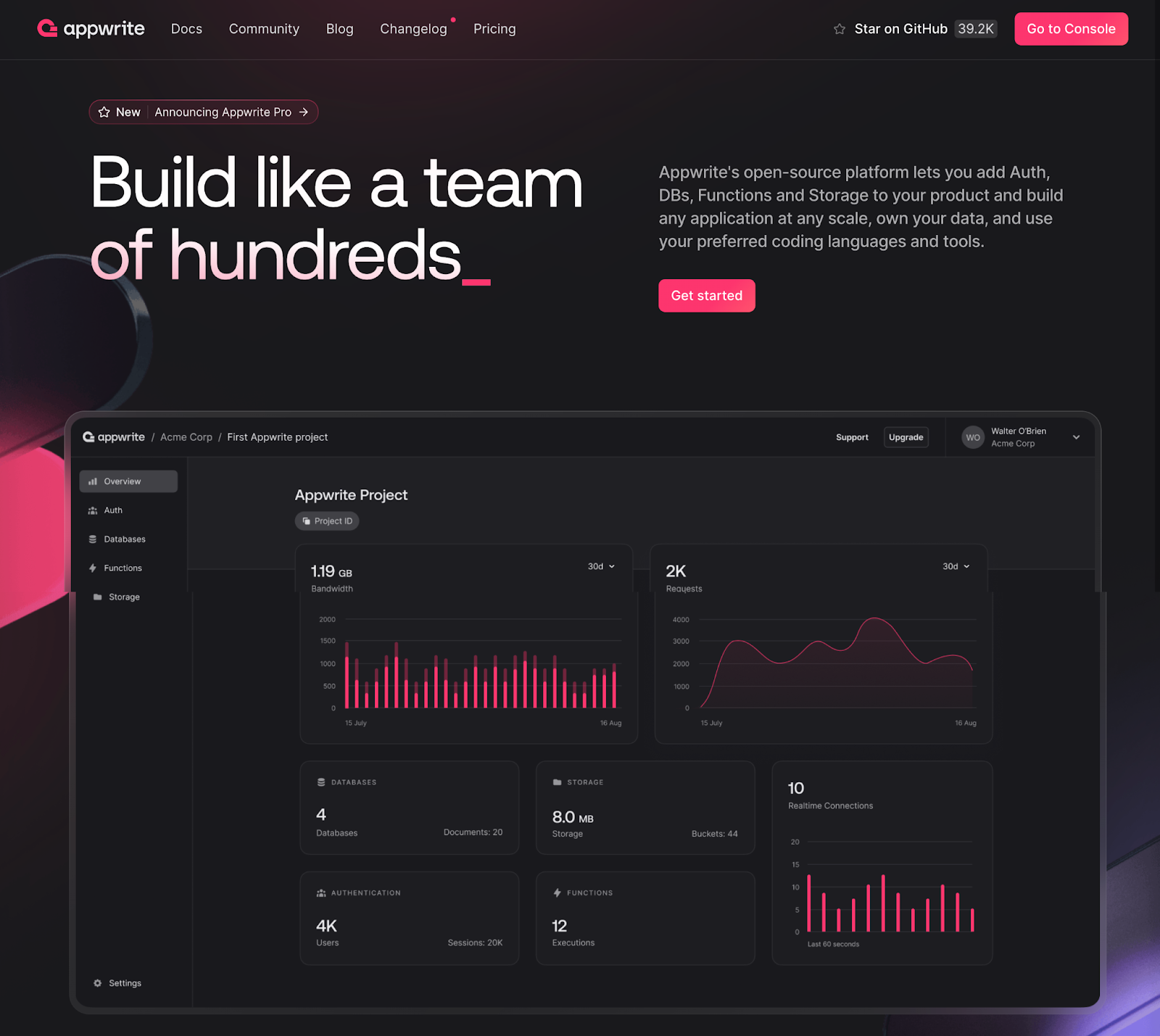
Appwrite is an open-source and self-hosted Backend as a Service (BaaS) solution that handles the essential backend needs. It offers user-friendly REST APIs and simplifies the complexity and redundancy of building a modern backend API from scratch. This lets developers build applications faster and more securely. With Appwrite, developers can quickly build and integrate applications.
Appwrite introduced a cloud-based version known as Appwrite Cloud. This solution removes the stress of hosting an Appwrite project in the cloud by giving developers tools and services to manage backend tasks. As a result, developers can focus more on development instead of managing infrastructure.
Appwrite provides a variety of services, including:
Database: Appwrite uses a NoSQL database to store and manage structured data effectively. It supports collection management, document CRUD operations, filtering, and sorting. The database also offers features like data validation, indexing, and real-time updates to streamline data management. Using Appwrite’s role-based access control, you can set precise permissions to control data access and modifications.
Authentication: Appwrite features an integrated user authentication and management system supporting various verification methods. Appwrite increases data security against brute-force attacks. It uses Bcrypt to hash passwords and protect API keys, thwarting attackers’ attempts to decrypt saved passwords or access API keys.
Storage: Utilizing Appwrite storage, you can securely and efficiently upload, download, and manage your files. Appwrite’s server includes a built-in feature for compressing and encrypting files, although this applies solely to smaller files.
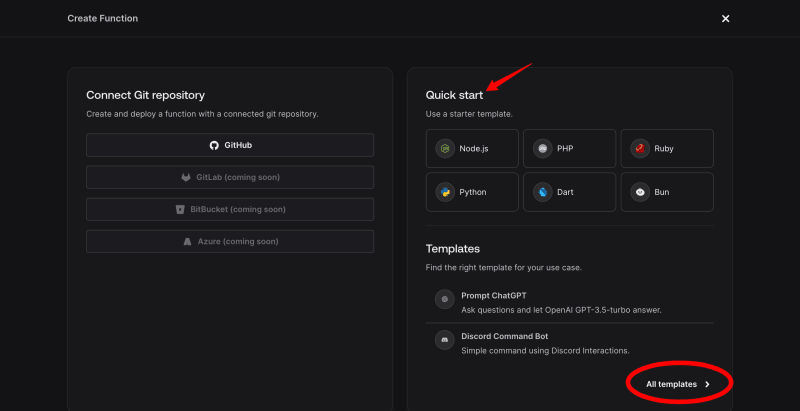
Function: Appwrite’s serverless functions allow developers to craft, deploy, and manage customized backend logic effortlessly, eliminating the need for server management. These functions support your favorite programming languages, including Node.js, Python, and more. With Appwrite functions, you can use quick-start templates or pre-built integrations to quickly add features to your application on the web, Flutter, Android, or iOS. It’s an excellent option for developers seeking a flexible, cost-effective open-source Backend as a Service (BaaS) platform.
Pros
- It has a simple learning curve and other good resources to get you started.
- It gives you complete access control to your data and files.
- Appwrite is built on Docker, which makes scalability easy, as Docker is a containerization platform that enables easy scaling to accommodate the evolving needs of expanding applications.
- It is open-source and self-hosted
- Appwrite maintains an active community channel on Discord, providing a platform for users to create and contribute to issues and engage with other community members.
- It provides a GraphQL option for developers.
- It has a built-in antivirus file scanner
- Supports different technologies
Cons
- Appwrite lacks an extensive ecosystem or ample learning resources on past issues.
- Appwrite lacks significant backup support, unlike Firebase, which benefits from Google’s backing.
AWS Amplify
Amazon Web Services (AWS) offers frontend web and mobile developers a comprehensive suite of tools and features tailored to build and host full-stack AWS applications quickly. Using AWS Amplify, you can configure a backend for your web or mobile app, design your app’s UI, and efficiently manage app content outside the AWS console. Connecting your backend to your frontend takes just a few lines of code, making it accessible even to those without prior cloud experience.
With AWS Amplify, you can build a wide range of applications, including server-side rendered apps, native iOS and Android apps, and cross-platform apps like Flutter and React Native, using Amplify libraries and backend resources.
AWS provides a variety of features, including:
Storage: Amplify Storage provides a straightforward solution for handling user-generated content and app data. Whether it’s photos, audio, or video files, you can securely store them on your device or within cloud storage modules, with options for public, protected, or private access.
Your application data resides in a NoSQL database supported by Amazon DynamoDB and is accessible through a REST API and Lambda function. You can also monitor activity in real time by collecting and downloading metrics and gaining insights into trends and user interactions within your app.
Authentication: Amplify Auth offers an easy way to establish secure authentication for your applications with a fully managed user directory. With built-in authorization features, you can control user access to your mobile and web apps. Plus, AWS provides pre-built UI components to add authentication workflows to your app in just a few lines of code, compatible with your preferred language or framework.
Function: AWS uses a serverless computing service called Lambda, which enables you to execute code without the need to manage servers. The service handles all necessary tasks to run and scale your code with high availability by uploading your code to AWS Lambda.
Real-time analytics: AWS provides auto-tracking features that help you track user sessions or website metrics and create custom user attributes for analytics.
Push notifications: Amazon Pinpoint enables you to customize your content and engage with your audience across various channels, such as email, text messages, and push notifications. This functionality is currently available for applications created using the React Native CLI.
Pros
- AWS has an extensive user base and developer community.
- It is easier to launch a WordPress site with Amazon Lightsail.
- AWS is a fast and reliable cloud service.
- AWS has a diverse array of tools to kickstart your development.
- It provides high-end security configurations and networks for business.
- Provides fast deployment for your application in multiple regions.
Cons
- Vendor lock-in
- Limited resources
- AWS charges varying technical support fees, which can be costly for businesses, especially as they scale up usage.
- AWS imposes service limitations in specific regions.
- AWS provides excellent services but has a significant drawback in its pricing.
Picking the Right Tool: What You Should Know
Selecting the right tools for your projects can be challenging. When making these decisions, consider your project’s specific needs and requirements. Key factors to consider include available features, pricing, support options, and security. Here are some valuable tips to help you determine which tools would be the most effective choice for your project:
1. Compatibility: It’s crucial to emphasize that platform compatibility is paramount. You wouldn’t want to develop an application that’s limited to only a few platforms. Therefore, thoroughly check whether the tool you’re using is compatible with your intended application across a variety of platforms.
2. Check product reviews: While it might seem like a non-essential step, the importance of checking for reviews before selecting a tool cannot be overstated. Doing so helps you uncover the strengths and weaknesses of the tool, enabling you to determine its suitability for the specific type of application and user base you aim to serve.
3. Community and Support: An active developer community brings significant value to a tool or product by establishing a network for knowledge sharing, problem-solving, and access to third-party resources. Many of these developers have experience in building diverse applications using various tools. This community can be invaluable in guiding you through any obstacles and ensuring a seamless developer experience.
4. Pricing: While some of these tools are open-source or free to use, they also have some features that come with upgrading your plan before accessing those features, so you must consider the pricing.
5. Check for Vulnerabilities or Updates: Some Backend as a Service (BaaS) tools support third-party services. Regularly check these services for updates and vulnerabilities. Even minor issues with third-party tools can attract malicious attackers to your application, leading to data exposure and leaving it vulnerable.
Conclusion
While this BaaS tool may be a leading option, it’s essential to acknowledge its limitations, including less flexibility, standardized architecture, and reliance on third-party tools. However, the benefits outweigh these drawbacks, as BaaS tools are revolutionizing how developers build and launch applications.
Selecting a BaaS solution that aligns with your project objectives is crucial to maximize benefits and mitigate potential issues like slow development or high costs.