Welcome back to Jscrambler 101! A collection of tutorials on how to use Jscrambler to protect your JavaScript. This tutorial is about the
Anti-Debugging transformation and covers Jscrambler version 8.3.
Introduction
We will explore Anti-Debugging, a new Jscrambler feature released in version 8.3. The Anti-Debugging feature protects your application by making it harder for attackers to debug an app by activating defenses that stop any reverse engineering attempts.
About Anti-Debugging
Before Anti-Debugging, Jscrambler offered an anti-debugging capability within the Self-Defending transformation. However, some concerns about more advanced reverse engineering and piracy ran deeper than this defense.
Debugging with malicious intent, through, for example, bypassing the debugger with event listeners’ breakpoints, and then removing/disabling the fingerprinting or tampering with a license verification mechanism, was becoming a great concern.
The Anti-Debugging feature was developed to make it increasingly harder for attackers to debug the code and commit fraud.
How does Anti-Debugging work?
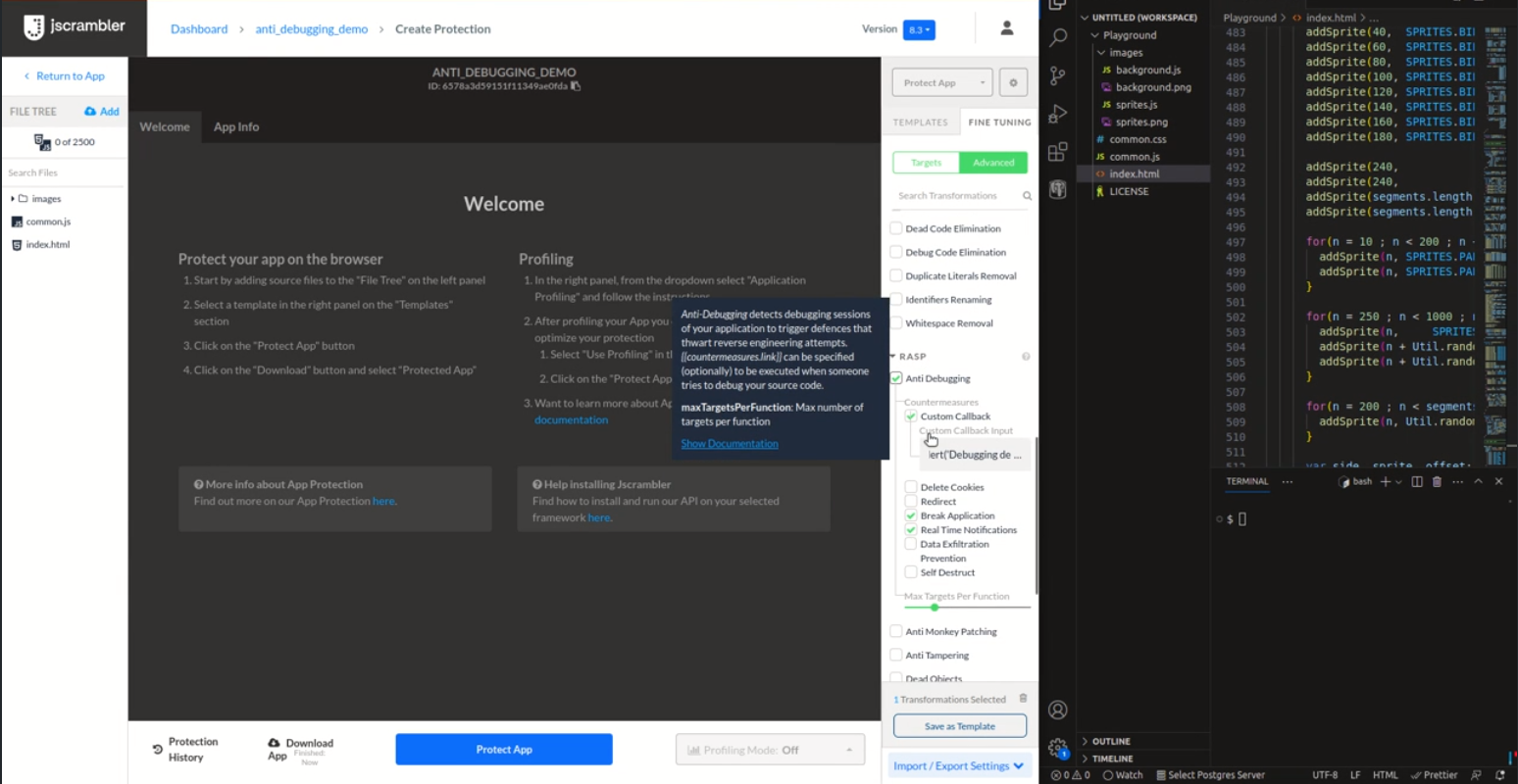
This transformation uses several techniques to detect debugging activity. The user can define the countermeasures to be triggered if, during runtime, debugging activity is detected.
When the code is protected with this transformation, checks are injected at the start of the program. Each check then runs three random techniques during runtime to detect debugging activity.
Additionally, a different subset of techniques is used in each runtime to maximize the detection efficiency. Once detected, the countermeasures selected will be triggered.
Benefits of Anti-Debugging
With Anti-Debugging, there’s an opportunity to trust your environment more, making it easier to balance security and flexibility. It becomes increasingly more difficult for attackers to exploit dev tools designed to help your team debug to reverse engineer the
code without being noticed.
Key feature benefits include:
- Enhanced detection – combining nine techniques heightens the ability to identify debugging activity. Each runtime uses a distinct subset of techniques, increasing the overall detection capabilities.
- Stronger resilience – the injection of random checks in the source code reduces single points of failure, resulting in a more resilient defense against debugging activities.
- Broader attack surface coverage – the diverse and independent nature of the techniques addresses various debugging approach strategies.
- Extended defense protection – safeguarding against different types of breakpoints (conditional, exception, event, and XHR/fetch), offline debugging, and offering swift reactions upon detecting debugger activity.
- Smooth and quick reaction – a wide array of countermeasures, such as custom callback, delete cookies, redirect, real-time notifications, data exfiltration prevention, self-destruct, and break application, provide an extensive defense toolkit. The option to stop or break application execution is discretionary.
Popular use cases
What are you protecting yourself against with Anti-Debugging? This is a great feature to shield from
reverse engineering attempts that may have various forms of malicious intent:
- Piracy
- Licence abuse
- Cheating and bypassing restrictions
| — |
Anti-Debugging
|
Self-Defending
|
FEATURES
|
| Multiple Anti-Debugging Techniques |
YES |
NO |
| Detect Built-in Method Poisoning |
NO |
Limited |
| Stops the Event Loop |
NO |
YES |
| Anti-Debugging |
YES |
YES |
| Forces the Use of Anti-Debugging |
N/A |
YES |
| Allows breakpoint detection |
YES, if selected |
YES, always |
| Anti-Tampering |
NO |
YES |
| CSP: Requires unsafe-eval |
NO |
YES |
| Tolerate Minification |
YES |
Optional |
| Countermeasures: Disable Break Application |
YES |
NO |
| Countermeasures in General |
YES |
YES |
| Control with Annotations |
YES |
Limited |
COMPATIBILITY
|
| No Internet Needed |
YES |
YES |
| Modern Browsers |
YES |
YES |
| Internet Explorer |
NO/NOT TESTED |
YES |
| Node |
YES |
YES |
| React Native with Hermes |
YES |
NO |
| React Native |
YES |
YES |
| Other Mobile Frameworks |
YES |
YES |
Conclusion
Anti-debugging is fully compatible with all major browsers and the browser’s
Content-Security Policy (CSP), Node.js, and specific hybrid mobile frameworks, including Ionic, NativeScript, React Native, and React Native Hermes.
Contrary to
Anti-Tampering, it is possible to use both Self-Defending and Anti-Debugging, as the existing Self-Defending protection (against tampering and debugging) will remain available.