




Welcome back to Jscrambler 101! A collection of tutorials on how to use Jscrambler to protect your JavaScript. This tutorial is about the Collaborative Workspace feature and covers Jscrambler version 8.4.
Introduction
This article will explore the Collaborative Workspace, a new Jscrambler feature released in version 8.4. This feature allows multiple users to work on the same app seamlessly.
About the Collaborative Workspace feature
How was the feature inspired?
It’s a normal scenario for many of our customers to have one developer assigned to log into the Jscrambler dashboard to work on protecting the application. However, with more and more of our clients adhering to strict security measures and involving their whole security teams, it was apparent that a feature for collaborative work was much needed.
Now Jscrambler’s Code Integrity supports assigning more than one user to access the same app and apply protections. This means that when one person from a team logs in to Code Integrity using their individual account credentials and uploads a given code/app to Code Integrity, other team members can see, access, and protect that same app, as well as check the history log.
The Collaborative Workspace feature facilitates teamwork and removes the limitation that might lead users to share their login credentials, reinforcing a bad security practice. It also prevents users from manually looking for the latest protection recipe applied to an app every time there is a need to revise the protection.
How does the Collaborative Workspace feature work?
With this “multiple users” reality, a new concept of “organization” is introduced to Code Integrity.
An “organization” represents a customer and each “organization” can have several apps and several “users” under its umbrella. Each user has their individual account for logging in to Code Integrity. Each user can be assigned to one or several apps and each app can have one or more users assigned. There are different degrees of permissions granted to each user.
It is important to note that the “organization” must have an administrator. The user with this responsibility has access to an “administration screen”, through which it is possible to manage the users, roles, and permissions, as well as add new users to the organization and remove existing users from the organization.
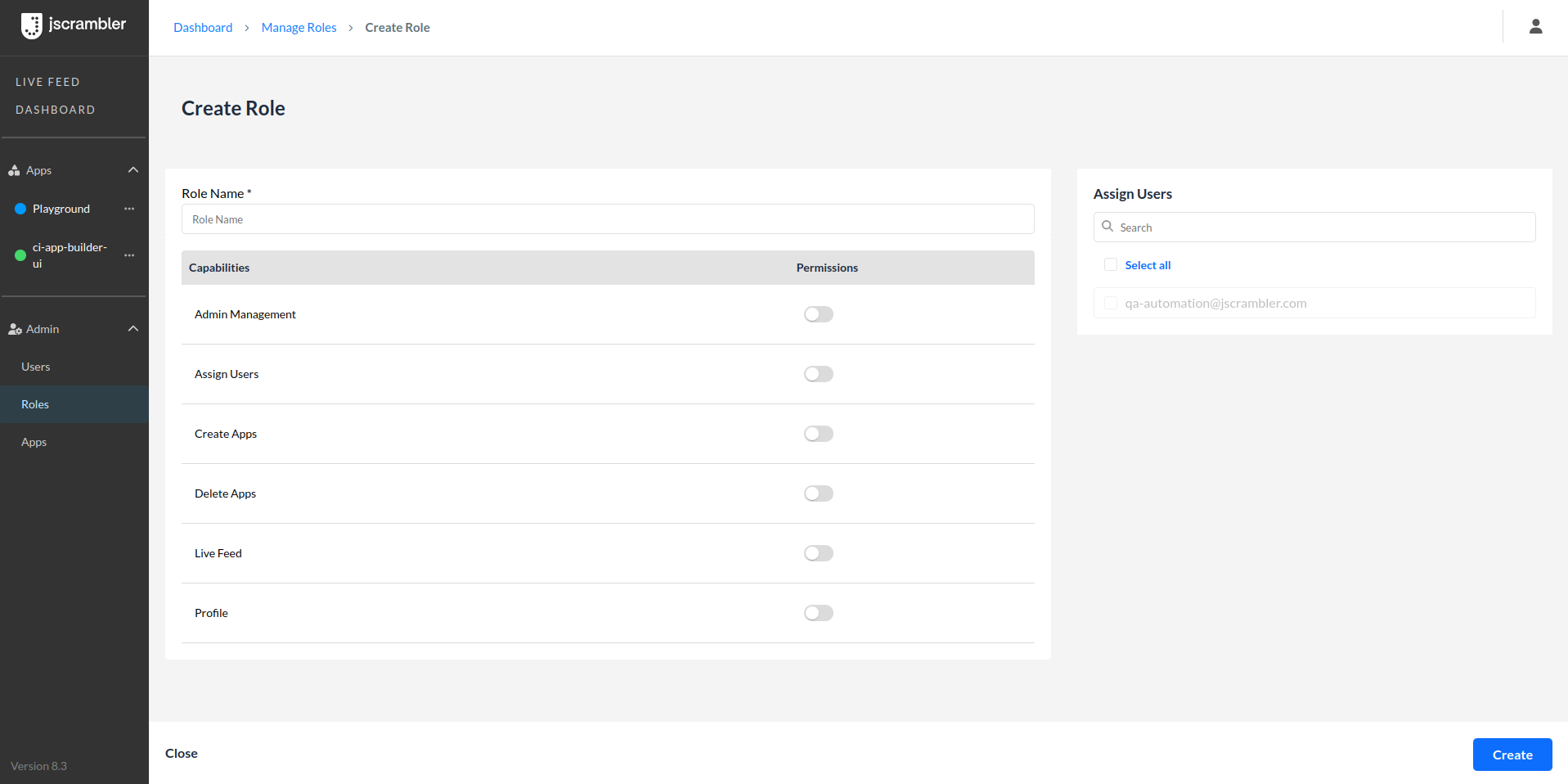
An Admin user can create a new role for a user and apply all the relevant permissions.
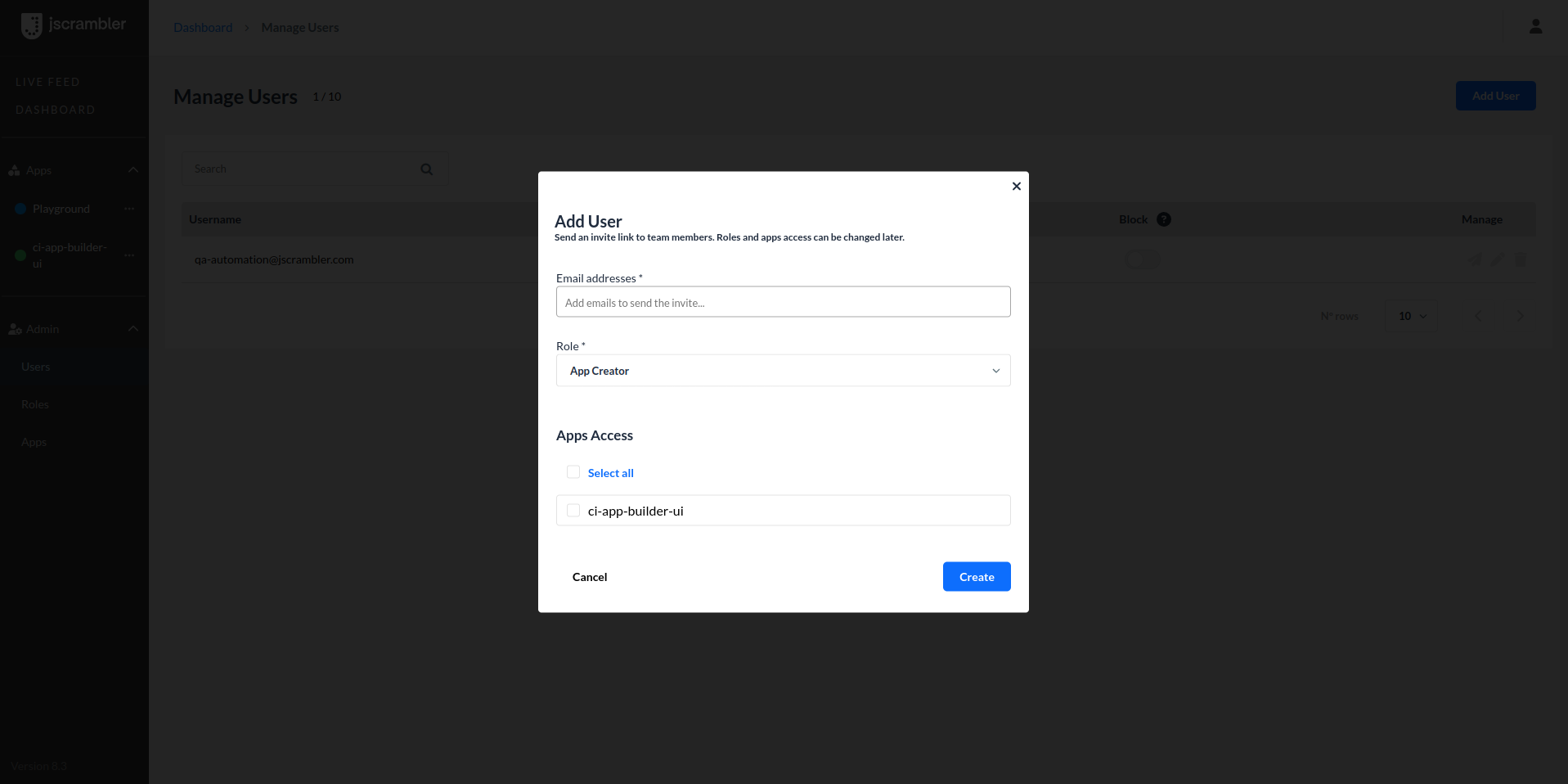
Adding users and assigning them to specific app/s is quick and easy.
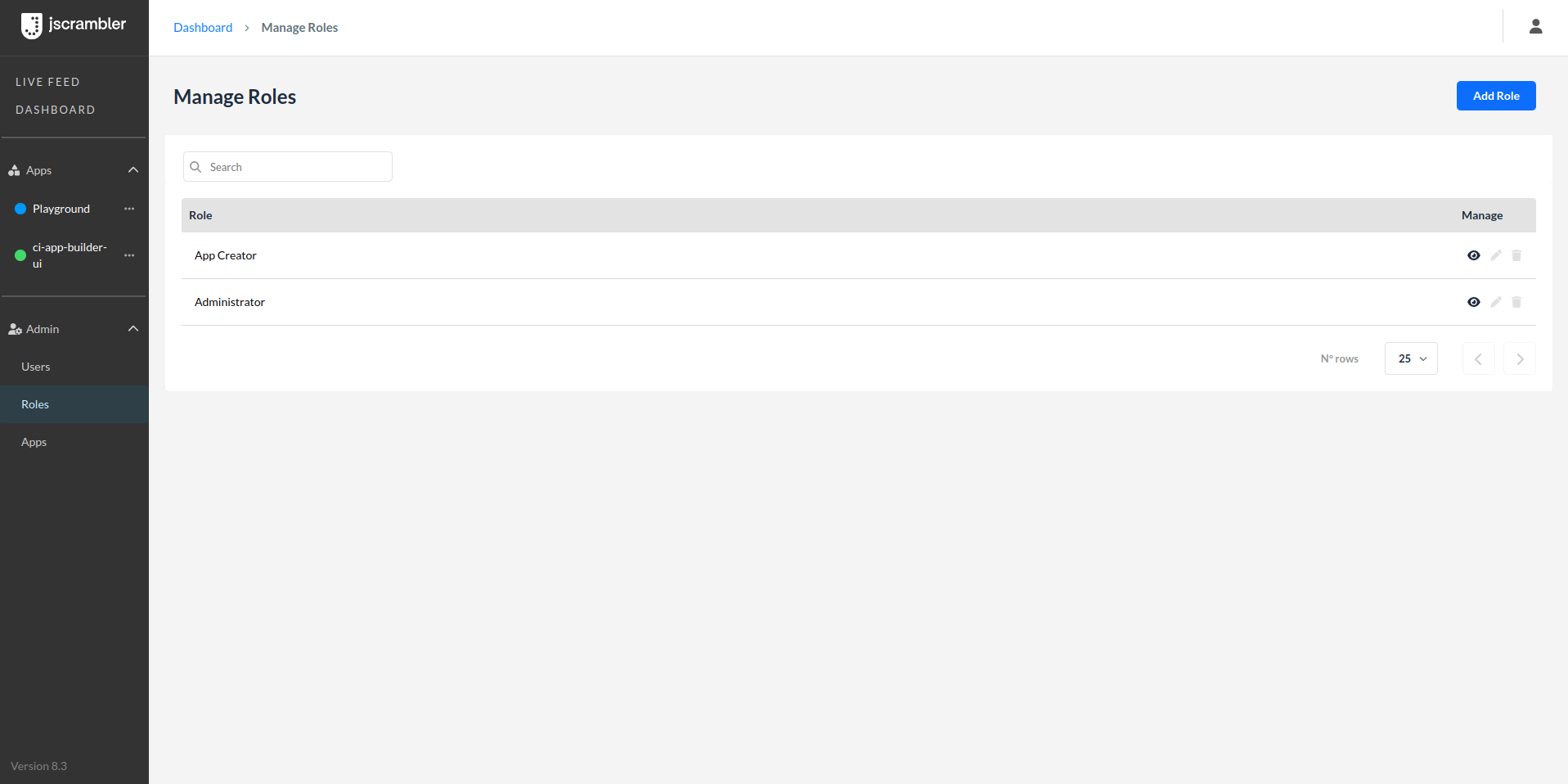
An Admin user can manage roles and change permissions.
All users assigned to the same “organization” see the same information, however, one user cannot be assigned to more than one “organization” at the same time.
Benefits of Collaborative Workspace
- Enhanced Collaboration
- Shared Access: Multiple developers can seamlessly work on the same app, eliminating the need for sharing login credentials or manual reassignments.
- Unified View: All users assigned to an app can see the same information, including uploaded files, transformation parameters, and protection history.
- Improved Security Practices
- Individual Accounts: Each user has their login, reducing the security risks associated with sharing credentials.
- Detailed Activity Logs: Enhanced protection history tracks who made specific changes, ensuring accountability and traceability.
- Scalability for Large Security Teams
- Scalable for Large Teams: Supports complex organizational structures by allowing multiple users and roles within an organization, making it ideal for large enterprises.
- Role-Based Access Control: Flexible permissions allow precise control over what each user can do, ensuring that security and operational needs are met.
Conclusion
This new feature empowers teams with a shared vision to safeguard their applications collaboratively. Whether it’s creating or deleting apps, assigning or removing users, or inviting new team members, our platform ensures efficient and secure app management for your organization.