






PCI DSS v4, published in March 2022, introduced critical provisions designed to detect and neutralize e-skimming attacks. Often referred to as formjacking or Magecart, these client-side attacks occur when cybercriminals inject malicious code onto e-commerce payment pages to harvest sensitive cardholder data.
To allow organizations time to implement these new controls, the requirements were future-dated and became a firm requirement only on April 1, 2025.
With the deadline now passed, compliance with these new requirements is no longer optional; it is mandatory.
In this guide, we break down the essentials of these now-active requirements and explain how online businesses can ensure they meet the standard.
- What are the specific client-side requirements in PCI DSS v4?
- Who must adhere to these new requirements?
- Where do these protections apply?
- When did the enforcement timeline begin?
- Why is complying with Requirements 6.4.3 and 11.6.1 critical for your business?
- How can e-commerce businesses effectively implement these controls?
What are the new requirements for payment pages under PCI DSS v4?
Requirement 6.4.3
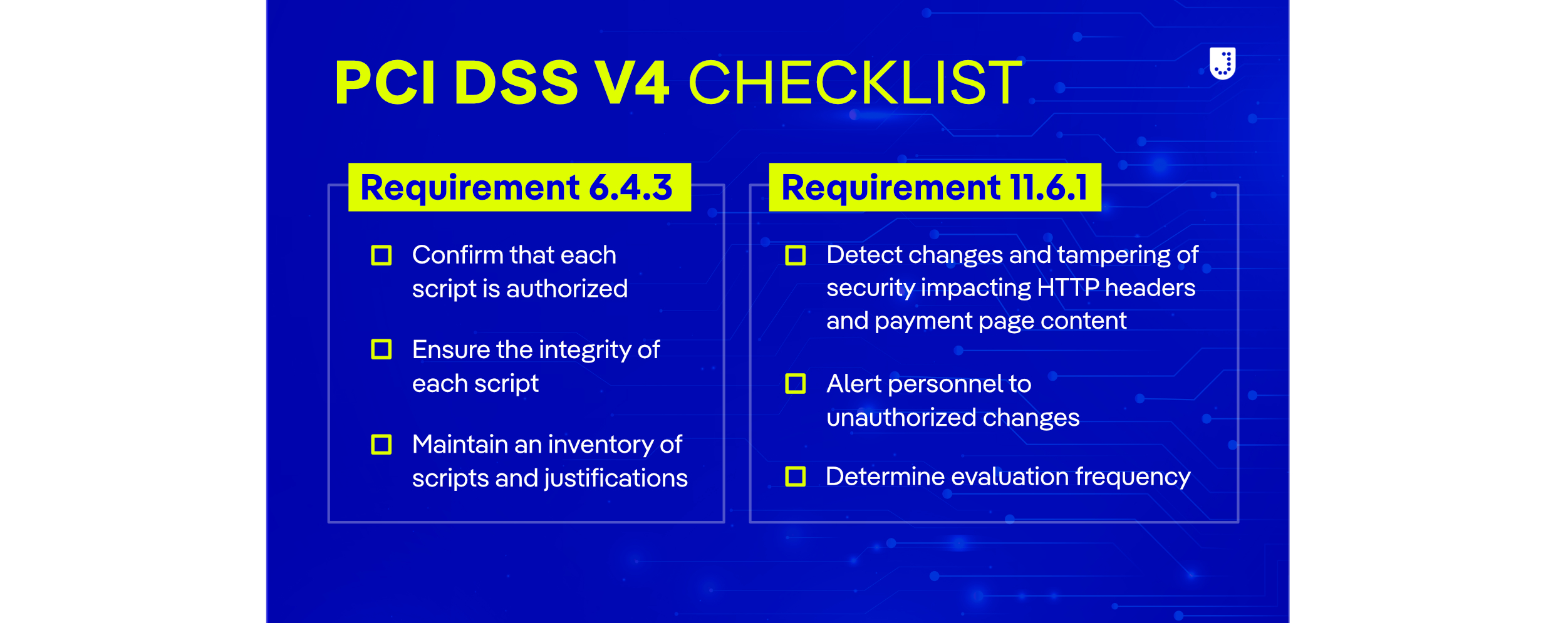
The first requirement (6.4.3) is designed to prevent e-skimming and protect payment and account data. All payment page scripts that are loaded and executed in the consumer’s browser are required to be managed as follows:
- Authorization: A method is implemented to confirm that each script is authorized.
- Integrity: A method is implemented to ensure each script’s integrity.
- Inventory & justification: An inventory of all scripts is maintained, with a written justification for why each is necessary.
Requirement 11.6.1
The second requirement (11.6.1) aims to detect tampering or unauthorized changes to critical components on the payment page and generate an alert when changes are detected. The details of the requirement are as follows:
- Deployment & Scope: A mechanism must be implemented to detect changes and tampering of HTTP headers and payment page content in the consumer browser to ensure security and integrity.
- Detection & Alerts: Personnel must be alerted to unauthorized changes to security-related HTTP headers and scripts on payment pages.
- Frequency: Evaluations occur at least once every seven days OR at defined periodic intervals as established by the organization’s targeted risk analysis (TRA).
Who must comply with requirements 6.4.3 and 11.6.1 in PCI DSS v4?
PCI DSS v4 applies to all entities that store, process, or transmit cardholder data and/or sensitive authentication data.
Typically, this includes those involved in accepting online payments, such as merchants, Payment Service Providers (PSPs), card issuers, card acquirers, and other service providers.
Where do requirements 6.4.3 and 11.6.1 in PCI DSS v4 apply?
The new requirements (6.4.3 and 11.6.1) apply to online payment pages that process online transactions, such as e-commerce, travel booking, and any services that process sensitive account and payment data, including:
- Cardholder Data: Primary Account Numbers (PANs), cardholder names, expiration dates, and service codes.
- Sensitive Authentication Data: Full track data (magnetic stripe or chip), card verification codes (CVC2/CVV2), and PINs.
These transactions can be conducted on various devices, including desktops, laptops, and mobile devices, and may take place either on a website or within an app.
When do the requirements 6.4.3 and 11.6.1 come into effect?
The new requirements were published in March 2022 as part of PCI DSS v4. As of April 1, 2025, they are now fully in effect, and protections are in place if you accept online payments.
If you have not yet secured your payment scripts, your organization may be non-compliant and vulnerable to both data breaches and assessment failure.
Why comply with requirements 6.4.3 and 11.6.1 in PCI DSS v4?
Simply put: PCI data security is everyone’s business.
Trust is your most valuable asset. Safeguarding customer data prevents brand damage, reputational harm, and financial losses.
Whether you are a local boutique accepting five payments a month or a massive enterprise accepting five thousand, you are responsible for protecting your customers and their data.
Customers won’t reward you with loyalty if you lose their data. If you handle their information in a way that makes it vulnerable to theft or hacking, they will simply take their business elsewhere.
The fully loaded costs to a business of a data breach are far higher than just a fine. It hits your business in three ways:
- Direct Costs: Lost revenue, incident response fees, fines, and breach notifications.
- Indirect Costs: Loss of brand value, reputation, and consumer trust.
- Opportunity Costs: Lost productivity and cancelled commercial contracts.
How do online businesses comply with requirements 6.4.1 and 11.6.1 in PCI DSS v4?
Now that requirements 6.4.3 and 11.6.1 are in effect, it is critical that you are ready to pass your assessment to avoid repercussions for non-compliance and any consequences of leaked sensitive data, payment data, and breaches.
To meet the requirements, organizations will need to select technical controls and adopt new management processes for deploying JavaScript. Depending on the size and complexity of the organization, these tasks may not be simple.

Step-by-Step PCI DSS v4 Compliance Guide
To pass your evaluation and avoid penalties, follow this guide to ensure you properly implement the necessary technical controls for managing JavaScript.
Here are some suggestions for assessing your organization’s current status and moving toward compliance with the new PCI DSS v4 requirements.
1. Audit your current payment page scripts
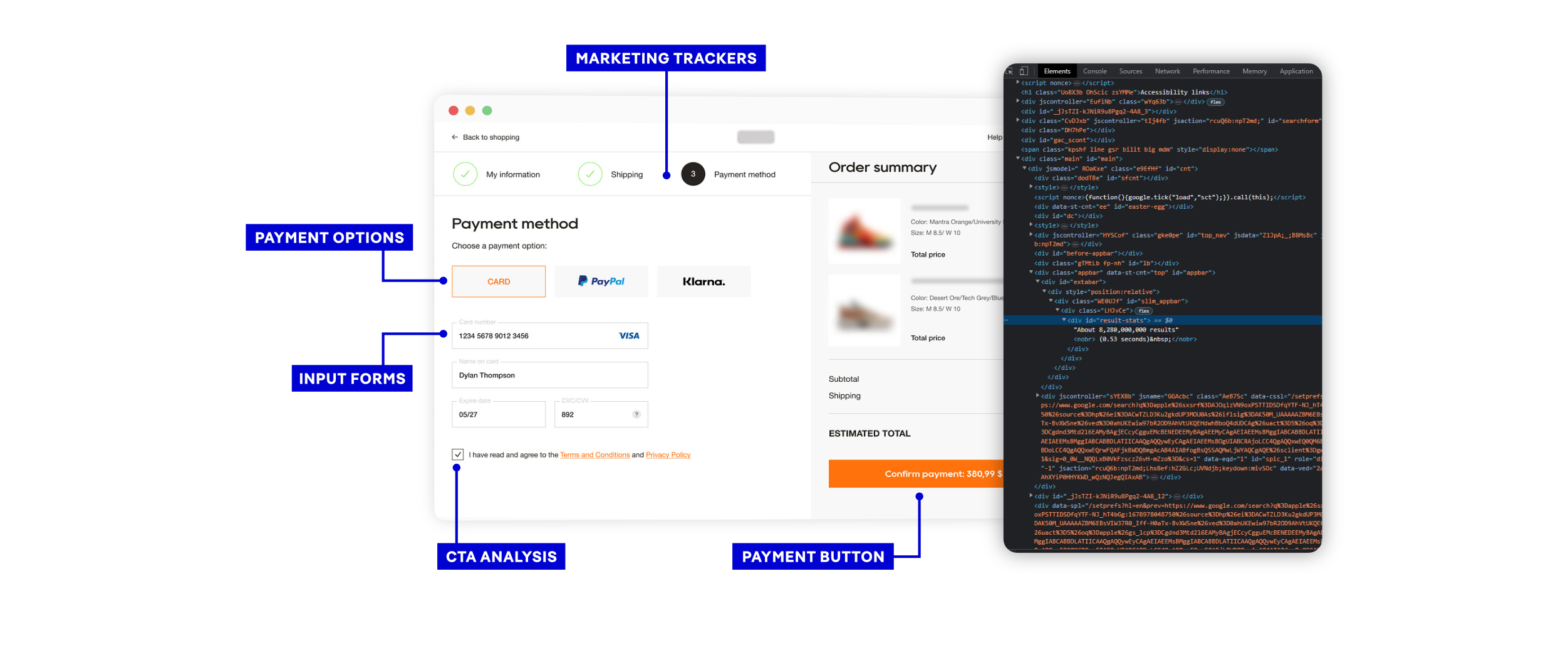
PCI DSS requirement 6.4.3 only apply to JavaScript on payment pages. Since you can’t manage risks you can’t see, the first task is to assess what JavaScript is currently on your payment page and why it is there.
To do so, we recommend that you:
- Identify Scripts: List the name and URL of every script.
- Categorize: Label as First-party or Third-party.
- Define Purpose: Document exactly what the script does and its business or technical justification.
- Identify Owners: Assign a specific team or person responsible for each script.
You could do this by looking at the page source in your browser’s developer tools. Or request a free inventory report of all the scripts present on your website from Jscrambler.
2. Review Your Current Change Management Process
Requirement 6.4.3 requires that all JavaScript on the payment page be recorded in an inventory, explicitly approved, and that a record be kept of why the script is necessary.
To help meet this new requirement, you’ll need to understand how JavaScript is added to your website and the business processes currently in place.
The type of information you’re looking for to help update this process is:
- Access Control: Which teams, people, or processes can/do add JavaScript to the site?
- Approval Workflow: Is there a change management or approval process for this?
- Integrity Checks: Are there existing processes in place to validate the script’s integrity?
- Third-Party Assessment: If the script is loaded from a third party, is a security assessment of that party conducted?
- Deployment Method: Is the deployment of a new script manual or automated? Is it performed by a third party or as part of your CI/CD process?
- Change Handling: How does the process apply to scripts that change?
- Surface Area Minimization: Is the same JavaScript added to every page on the site, or is it possible to separate the scripts that are included in the payment page from those that are deployed everywhere else on the site?
3. Determine your preferred business process
One of the key decisions you’ll need to make is whether your risk tolerance will allow you to either:
- Approve all changes to JavaScript before they happen.
- Approve changes within a reasonable timeframe after they happen.
This will determine the workflow and the technology that you deploy.
Option A: Pre-change approval
This is best for organizations with static environments.
The pre-change approval workflow: For every script change, your process must:
- Define Governance: Clearly establish who is authorized to request script additions and who has final approval authority.
- Justify the Need: Record specific reasons why the script is necessary for the payment page (focusing on behavior).
- Document Integrity: Log the approval details (who/when) and integrity data (e.g.,hash values or behaviors) for ongoing verification.
- Update & Release: Update your central inventory, approve the release to production, and integrate with your existing deployment pipeline.
Implementation Tip: This can be managed through existing change-control software or, for smaller setups, a strictly maintained spreadsheet.
With a strict pre-deployment approval process you can use strict protective measures such as Content Security Policy (CSP) and Subresource Integrity (SRI). They are based on knowing the hash values of approved scripts because the hash value is computed as part of the pre-deployment process.
However, there are two operational problems with the pre-approval process.
First, the larger and more complex an organization’s e-commerce platform, the more arduous the process. There’s a real danger that the process won’t be followed if it becomes a roadblock in the development and deployment processes.
Second, if any script changes (say by a third-party provider), then the script won’t be allowed to load, so the page’s functionality will be affected. In a worst-case scenario, this could break the entire site and prevent customers from checking out.
Option B: Post-change approval
Best for more dynamic e-commerce platforms.
Managing Governance in a Post-Change Approval Model
In this model, it’s still important to control who in your organization can add new JavaScript to the page and who can approve the script. This is particularly important because you’re effectively defining a time window within which a script is allowed to be active on the payment page before it is approved.
Automation and Compliance
The workflow relies on automation. The system must detect when a new script is added or an existing one is modified. This detection mechanism serves a dual purpose: it triggers the approval workflow and satisfies the alert requirements of PCI DSS 11.6.1.
Once a change is detected, the workflow should:
- Log the script’s justification and record the approval details (who and when).
- Document how the script’s integrity was checked (e.g.,hash values or behaviors), and update the script inventory.
If a script is not authorized, you must prevent it from running on the payment page as soon as possible.
A post-approval process is appropriate for more complex environments and ones where an organization has multiple websites or instances of a site. This is especially important where the ability to add JavaScript to a site is distributed throughout an organization or third-parties.
The longer an unapproved changes remains live on a site, the higher the risk. But if we extrapolate from requirement 11.6.1, this time frame should be no longer than seven days.
However, it allows for scripts to change without the risk of breaking the website, especially important in the case of third-party scripts.
It is also important to note that CSP and SRI are not appropriate here, as those methods rely on pre-deployment hashing, which conflicts with the post-change nature of this workflow.
Jscrambler PCI DSS v4 solution
To effectively manage third-party risk while maintaining real-time visibility and control over every script on a website, using a tool like Jscrambler’s PCI DSS v4 compliance solution is recommended. Jscrambler can support your approval workflows by detecting when a new script is added to a page or when any changes are made to an already approved script.
Jscrambler also reduces the risk of unapproved scripts being active on the site during the approval process. It can block malicious behaviors, such as scripts that attempt to access payment card fields on the payment page.
The recent addition of an AI assistant to the Jscrambler client-side protection and compliance platform enhances compliance teams’ ability to manage workflows, improving confidence in client-side security assurance.
Furthermore, Jscrambler offers companies the flexibility to choose different deployment methods through its hybrid architecture. Users can start with a scanner and then implement an agent for comprehensive client-side protection and risk mitigation.
Jscrambler is helping companies comply with PCI DSS v4
Jscrambler helps companies like Scentbird effortlessly comply with PCI DSS v4 requirements 6.4.3 and 11.6 .1 and ensure they foster customer trust. Customers trust Jscrambler to secure their payment pages and support PCI DSS v4 compliance because it is:
- A PCI SSC Principal Participating Organization.
- A member of the PCI SSC Board of Advisors.
- A company with more than a decade of experience protecting JavaScript.
Jscrambler offers a free payment page analysis that helps Merchants assess their compliance readiness with requirements 6.4.3 and 11.6.1 of PCI DSS v4 and QSAs to validate compliance.